India’s #1 Digital Products Company • Trusted by 60,000+ Customers Worldwide 🌍 • Instant Download • PLR & MRR Products Available

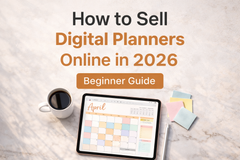
How to Sell Digital Planners and Templates Online in 2026: Step-by-Step for Beginners
If you've been scrolling through Instagram or Pinterest lately, you've probably noticed something: digital planners and templates are everywhere — and people are making serious money selling them. The best part? You don't need a design degree, a big budget, or years of experience to get started.
Whether you want a side income stream or a full-time digital product business, learning how to sell digital planners online is one of the smartest moves you can make in 2026. This step-by-step guide will walk you through everything — from understanding what digital planners are, to choosing a platform, to making your first sale.
Let's get into it.
What Are Digital Planners and Templates?
Digital planners are downloadable planning tools — usually in PDF or interactive format — that customers use on devices like iPads (with apps like GoodNotes or Notability) or simply print at home. They include things like:
- Daily, weekly, and monthly planners
- Goal-setting and habit tracker sheets
- Business planning workbooks
- Budget and finance planners
- Content calendars and social media planners
Templates, on the other hand, are pre-designed files (often made in Canva, PowerPoint, or Google Slides) that buyers customize for their own use. Think Instagram post templates, lead magnet templates, resume designs, or presentation decks.
Both are digital downloads — meaning you create (or source) them once, and sell them an unlimited number of times with zero inventory, zero shipping, and near-100% profit margin.
Why a Digital Planner Business Is One of the Best Opportunities in 2026
The global digital downloads market is growing fast, and planners and templates are among the most searched and purchased digital products online today. Here's why this niche is booming:
- Low startup cost — You can launch with free tools like Canva
- Passive income — Sell while you sleep, no fulfilment required
- High demand — Productivity, journaling, and organization are evergreen niches
- Scalable — One product can sell thousands of times with no extra effort
- Beginner-friendly — You don't need to be a designer or tech expert
And with PLR (Private Label Rights) and MRR (Master Resell Rights) products, you don't even need to create from scratch. More on that shortly.
Step 1: Choose Your Niche
The #1 mistake beginners make is trying to sell planners for everyone. The more specific your niche, the easier it is to rank on Google, stand out on Etsy, and attract loyal buyers.
Popular digital planner niches in 2026:
- Productivity and time management
- Small business and entrepreneur planning
- Student and academic organizers
- Health, wellness, and self-care
- Finance and budget tracking
- Social media and content creation
- Wedding and event planning
- Homeschool and parenting
Pro Tip: Pick a niche you understand or are curious about. You'll create better content, write better product descriptions, and market more naturally.
Step 2: Create or Source Your Digital Planners
You have two main options here:
Option A: Create Your Own
Tools like Canva make it surprisingly easy to design professional-looking planners and templates even if you're not a designer. Use Canva's free templates as a starting point, customize them to match your brand, and export as PDF.
What you'll need:
- A Canva free or Pro account
- A consistent color palette and font combination
- A clear structure (daily view, weekly view, monthly view, etc.)
- A PDF export that is either interactive (hyperlinked) or print-ready
Creating your own products takes time, but gives you full control over branding and pricing.
Option B: Use PLR and MRR Products (The Smart Shortcut)
This is where things get exciting for beginners. PLR (Private Label Rights) products are pre-made digital planners and templates that you can legally rebrand and resell as your own. MRR (Master Resell Rights) products let you sell the product and even pass on the resell rights to your buyers.
Instead of spending weeks designing from scratch, you can grab a professionally designed planner, add your logo and brand colors, and start selling — often within a day.
💡 Explore our ready-to-sell Planners & Templates and PLR Products — perfect for launching your digital planner business fast.
Using PLR and MRR products is especially powerful when you're just starting out, have limited time, or want to test a niche before committing to creating a full product line.
Step 3: Set Up Your Canva Templates for Resell Rights
If you're selling Canva templates, the delivery process is a little different from regular PDFs. Instead of exporting a finished file, you share a Canva template link that allows buyers to open the design in their own free Canva account and customize it.
Here's how to set that up:
- Design your template in Canva
- Click Share → Template link
- Copy the link — this is what you deliver to buyers
- Include clear instructions on how to use the template
Important: Always make sure your Canva templates for resell rights are original designs or based on elements you have commercial use rights for. If you're using PLR Canva templates from a reputable provider, the license will specify what you can and can't do.
💡 Check out our Designs & Mockups Collection for professionally designed, ready-to-resell visual assets.
Step 4: Choose Where to Sell
You have several solid options for selling digital planners online in 2026:
| Platform | Best For | Fee Structure |
|---|---|---|
| Etsy | Beginners, built-in traffic | Listing + transaction fees |
| Shopify | Full brand control, scaling | Monthly subscription |
| Gumroad | Quick setup, creators | Free plan + % per sale |
| Payhip | Simple digital downloads | Free plan available |
| Your own website | Long-term brand building | Hosting costs only |
For beginners, Etsy or Gumroad are great starting points because they have existing buyer traffic. But for long-term growth and brand ownership, your own Shopify store (like Media Makers Studio!) is the way to go.
Step 5: Price Your Digital Planners
Pricing digital products confuses a lot of beginners. Here's a quick guide:
- Single planner or template: $5 – $19
- Bundle of planners (5–10 items): $19 – $49
- Full planner system or workbook: $27 – $67
- Business-in-a-box kit (with MRR): $47 – $197
Don't undervalue your work. Digital products save people time and help them solve real problems — that has genuine value. Start mid-range, gather reviews, and increase your prices as your reputation grows.
Step 6: Write Product Descriptions That Sell
Your product listing is your salesperson. A weak description = no sales. A strong one? Conversions while you sleep.
Use this simple formula:
- Hook — Start with the problem your buyer has ("Tired of forgetting your goals by February?")
- Solution — Describe what the product does ("This 12-month goal planner keeps you focused...")
- Features — List what's included (pages, formats, file types)
- Benefits — What will the buyer's life look like after using it?
- CTA — Tell them exactly what to do ("Download instantly and start planning today")
Also make sure to use relevant keywords naturally in your title and description to help your listing rank in search results.
Step 7: Market Your Digital Planners
Creating the product is only half the job. Here's where to promote:
- Pinterest — Incredibly powerful for digital products. Create pins linking directly to your product pages.
- Instagram & TikTok — Show behind-the-scenes of your planner, demo how it works, share aesthetic flat-lays.
- SEO blog posts — Like this one! Writing helpful articles drives free, long-term organic traffic to your store.
- Email list — Build a list from day one. Even a small list of 200 targeted subscribers can generate consistent sales.
- Free products as lead magnets — Give away a free mini planner to grow your email list, then upsell your paid products.
💡 We offer Free Digital Products you can download and use as inspiration for your own lead magnets — or even resell as part of your business.
How to Sell Digital Planners Online: The Fast-Track Option
If you want to skip months of trial and error, the smartest move is to start with high-quality, done-for-you PLR and MRR planners that are already designed, formatted, and ready to sell.
At Media Makers Studio, we've curated a full library of digital products built for exactly this purpose — including planners, templates, AI assets, e-books, and more — all with resell rights so you can build your business immediately.
🛒 Browse all categories: mediamakersstudio.com/pages/categories
Common Mistakes to Avoid
- Skipping the niche — Selling "planners for everyone" is a strategy for no one
- Poor quality design — In 2026, buyers expect clean, modern aesthetics
- No keywords in listings — Your product won't be found without SEO
- Ignoring reviews — Social proof is everything in digital products
- Not updating old products — Refresh your listings yearly to stay relevant
Conclusion: Your Digital Planner Business Starts Now
There has never been a better time to start a digital planner business for beginners. The tools are accessible, the demand is real, and with PLR and MRR products available, you can skip the hardest parts and start selling faster than ever.
Whether you design your own planners or start with ready-made products, the path to your first digital sale is shorter than you think. Take it one step at a time — pick your niche, source or create your products, choose your platform, and start sharing your work with the world.
Ready to launch? Explore our full collection of ready-to-sell digital planners, Canva templates, and PLR products at Media Makers Studio:
👉 Browse Planners & Templates 👉 Shop All PLR Products 👉 Get Free Digital Products to Start With
Frequently Asked Questions (FAQ)
Q1: How do I start selling digital planners with no experience?
Start by choosing a niche you understand, then source ready-made PLR planners or create simple ones using Canva's free tools. List them on Etsy or Gumroad to begin, then build toward your own store. You don't need design or tech experience — just consistency and a willingness to learn.
Q2: What are Canva templates resell rights?
Canva templates with resell rights are pre-designed Canva files that come with a license allowing you to sell them to others. Some licenses (PLR) also allow you to rebrand them as your own. Always check the license terms before reselling any Canva template.
Q3: How much money can you make selling digital planners online?
Income varies widely. Beginners can make $200–$500/month starting out, while experienced sellers in strong niches often earn $2,000–$10,000+/month. The key factors are niche selection, product quality, marketing consistency, and whether you use proven-to-sell PLR/MRR products.
Q4: What is the best platform to sell digital planners in 2026?
Etsy is great for beginners due to built-in buyer traffic. Shopify is better for long-term brand building and full control. Many successful sellers use both simultaneously — Etsy to attract new buyers, and their own store to capture repeat customers.
Q5: Do I need to create my own planners, or can I sell PLR products?
You don't need to create everything from scratch. PLR (Private Label Rights) and MRR (Master Resell Rights) products are legally available for resale, often with permission to rebrand. They're a popular and legitimate way to launch a digital product business quickly, especially for beginners.
Published by Media Makers Studio | Your one-stop destination for ready-to-sell digital products. Browse our full collection at mediamakersstudio.com/pages/categories
Recent Post